

Best Funeral Presentation Software (UK): A Complete Guide for Funeral Directors
Best Funeral Presentation Software (UK): A Complete Guide for Funeral Directors
Every funeral director knows that a funeral service only happens once. There is no opportunity for a second attempt if a video fails to play, music stops unexpectedly, or a slideshow freezes halfway through a tribute.
Yet many funeral homes across the UK still rely on general presentation software such as Microsoft PowerPoint. While it was never designed for live funeral ceremonies, it continues to be used because it's familiar—not because it's the best solution.
As expectations from families continue to grow, more funeral professionals are looking for dedicated funeral presentation software that offers greater reliability, better media management, and a smoother experience during the service.
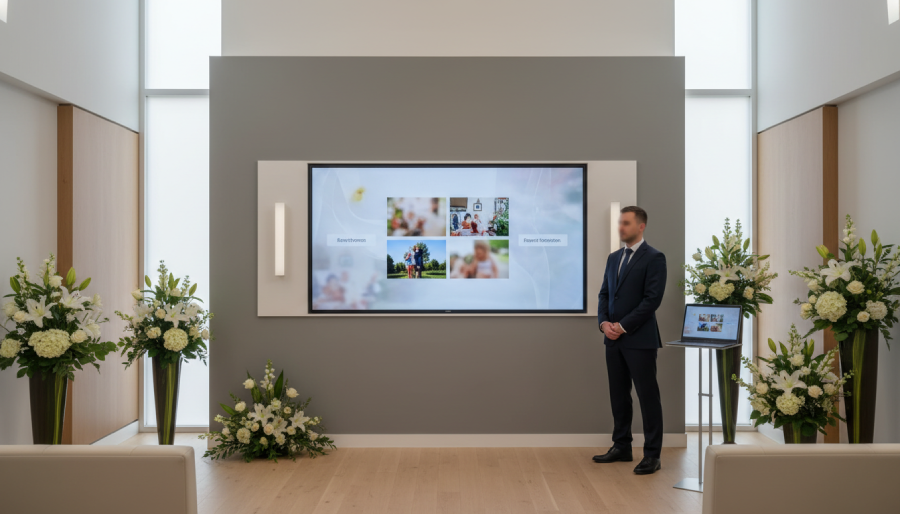
Why PowerPoint Isn't Built for Funeral Services
PowerPoint works well for business presentations, but funeral ceremonies place very different demands on technology.
A modern service often includes:
High-resolution photographs
Multiple video tributes
Background music
Readings
Live adjustments during the ceremony
Different media formats
Strict timing
General presentation software can struggle with these requirements, especially when handling large video files or switching between different media types.
The result can be:
Videos that won't play
Audio issues
Slow loading times
Last-minute technical stress
Interruptions during an emotional service
When you're supporting grieving families, technology should be invisible, not something everyone notices because it goes wrong.
What Makes Dedicated Funeral Presentation Software Different?
Purpose-built funeral presentation software is designed specifically for memorial services.
Rather than forcing funeral directors to adapt business software, it focuses on the unique needs of ceremonies.
Key features often include:
Reliable photo and video playback
Support for multiple media formats
Integrated music management
Offline operation without relying on internet access
Easy last-minute changes
Smooth transitions between media
Simple operation during live services
The goal is simple: allow the funeral director to focus entirely on the family instead of worrying about the technology.
Essential Features to Look For
If you're comparing funeral presentation software in the UK, these are the features worth prioritising.
1. Reliable Offline Playback
Internet connections can never be guaranteed.
Professional software should allow the entire ceremony to run without requiring an active internet connection.
2. Video Support
Families increasingly include:
Tribute videos
Family recordings
Photo montages
Personal messages
The software should play these smoothly without requiring additional video editing software.
3. Easy Ceremony Management
Every funeral is different.
Good software should let you:
Reorder content quickly
Insert last-minute items
Manage music and videos from one place
Keep everything organised
4. Fast Learning Curve
Busy funeral directors don't have time for lengthy training.
The software should be intuitive enough for staff to use confidently after minimal instruction.
5. Video Export
One of the newest developments in funeral technology is the ability to export an entire presentation as a video.
This allows funeral homes to:
Create keepsake videos for families
Reuse presentations for memorial events
Produce tribute videos without separate editing software
This feature is becoming increasingly valuable as more families request digital memories after the service.
Why More Funeral Homes Are Moving Away from PowerPoint
Many funeral directors only start looking for dedicated software after experiencing problems.
Common reasons include:
PowerPoint crashing during a service
Videos failing to play
Difficulties managing multiple media files
Time-consuming preparation
Concerns about reliability
Dedicated funeral presentation software removes many of these challenges by providing a system designed specifically for funeral ceremonies.
Choosing the Right Funeral Presentation Software
Every funeral home has different requirements.
When evaluating software, ask questions such as:
Is it designed specifically for funeral services?
Can it handle large video files?
Does it work offline?
Is it easy for all staff members to use?
Can presentations be exported as videos?
Does it support all common media formats?
Is technical support available if needed?
The answers will help you identify a solution that supports your workflow today and as your business grows.
The Future of Funeral Presentations
Families increasingly expect personalised ceremonies that include photographs, music, videos, and meaningful visual tributes.
Technology is no longer simply an optional extra—it's an important part of creating a memorable and respectful service.
Dedicated funeral presentation software helps funeral professionals deliver these experiences with confidence while reducing technical risk.
Final Thoughts
The best funeral presentation software isn't simply the one with the longest feature list. It's the one that works reliably when it matters most.
By choosing software built specifically for funeral directors, you can create professional ceremonies, minimise technical issues, and provide families with the seamless experience they deserve.
If your funeral home is still relying on PowerPoint, it may be time to consider a solution designed exclusively for funeral services.
Dedicated funeral presentation software offers greater reliability, improved media management, and modern features such as offline playback and video export—helping every ceremony run as smoothly as possible.